
Manual
10-03-2019 Jeff Santa Clara UT
SN: P1040416AA8E009035
Touch & Fly: POI
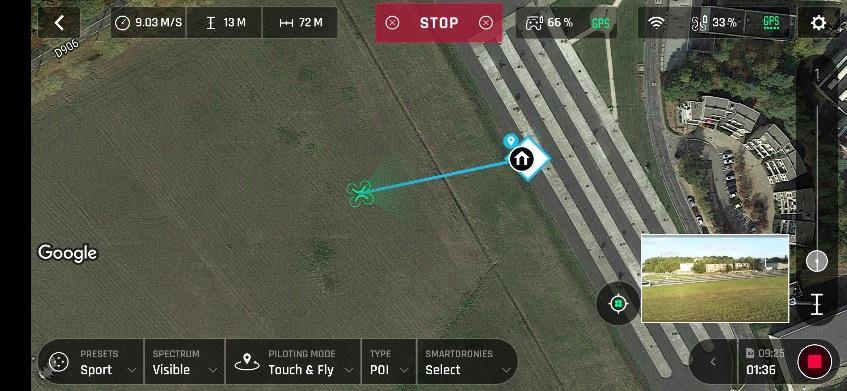
To access the POI Touch & Fly option, tap the “Type” box from the lower bar of the HUD, and select POI.
In POI mode, tap a point on the map to create a point of interest (POI), marked as a white square diamond with a blue border, labelled with a POI icon. Control the height of the POI (the blue figure inside the square diamond) through the slider on the right:
this effectively controls the tilt of the gimbal, while you use the Parrot Skycontroller 3 to fly around your target.
remains focused on the POI.
Tap “STOP” from the red box at the center of the top bar of your screen to halt , or to reset a POI.
From the “Smartdronies” box, next to the “Type” box of the lower bar of the HUD, you can also activate Smartdronies (Orbit, Parabola, Dolly Zoom, Boomerang) of your POI.
Refer to the “Smartdronies” section of this guide for additional information on Smartdronies types.
Cameraman
Panorama Photos
Anafi Panoramas are much better than Mavic Pro
10 original Pano photos are all saved to drone sd card Media folder. Multiple pano photo images are all dumped into same folder. 10 original images for the horizontal Pano shot.
Using app Gallery creates Pano and downloads pano original photos and generated Pano to tablet/phone into individual folders. Images are stored in tablet/phone internal storage DCIM folder. Each Pano original and generated Pano images are in individual Anafi_4k/######/horizontal/#### folder. Generated Pano image is 8.9MB 6144x3072 pixels.
Using Hugin to create the Pano from 10 original photos creates a 26MB 8478x3157 file.
Hugin creates the far superior panorama image!
Photos
ISO 100 White Balance Sunny Shutter Auto
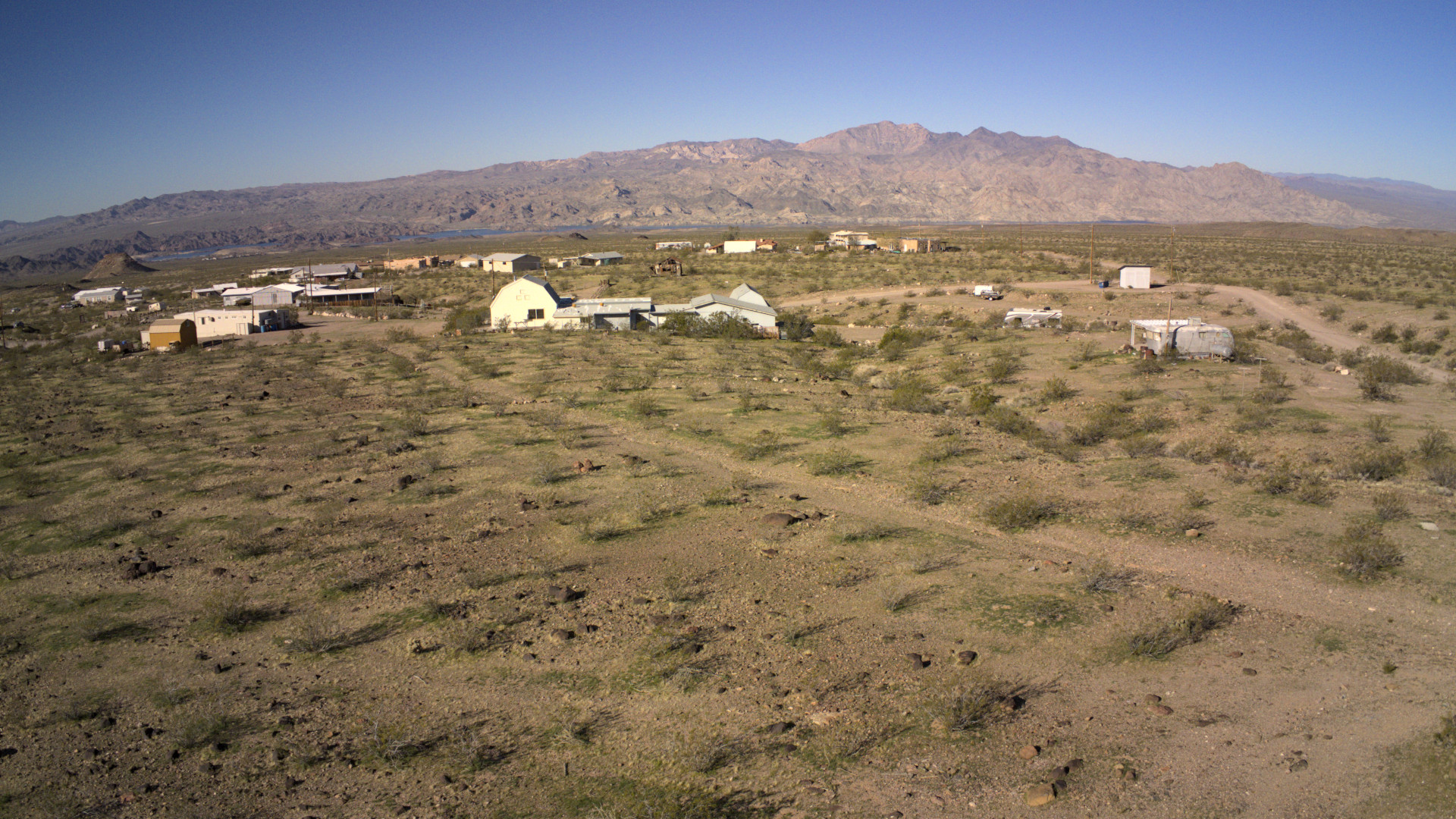
Anafi DNG-wide plus jpg with Darktable Anafi style wich is lense correction using Sony DSC HX300 and 1.60 scale to remove vignette



0 Comments